.jpg)
Not necessarily. Delivered just means the email didn't bounce. It says nothing about whether it landed in the inbox, the promotions tab, or the spam folder. If a chunk of that 98% never reaches a real inbox, your open rates, click rates, and revenue all take the hit, and you won't know why unless you test for it.
That's what email deliverability testing is for: finding out where your emails actually land before you send to your full list, not after.
Delivery vs. deliverability: what's the difference?
These two terms get used interchangeably, but they measure different things.
Email delivery tells you whether an email was accepted by the receiving mail server. If it wasn't rejected outright, it counts as delivered, even if it ends up in spam.
Email deliverability measures whether an email actually reaches the inbox, where a recipient can see and open it. This is the number that actually matters for engagement and revenue.
A high delivery rate with poor deliverability is a common, and often invisible, problem. Your ESP dashboard won't flag it. You need to test for it directly.
Why deliverability testing matters before you send
Every email you send teaches inbox providers something about you as a sender. High bounce rates, low engagement, or spam complaints all damage your sender reputation, and a damaged reputation follows you into your next campaign, and the one after that.
Testing before a send lets you catch problems while they're still cheap to fix. Testing after a send just tells you what already went wrong, with a list of subscribers who now associate your brand with the spam folder.
What actually affects deliverability
A few factors do most of the work here:
- List quality. Invalid, inactive, and risky addresses drive up your bounce rate, which is one of the strongest negative signals ISPs use.
- Authentication. SPF, DKIM, and DMARC confirm you are who you say you are. Since February 2024, Google and Yahoo have required proper authentication from bulk senders, and missing or misconfigured records can get your emails rejected outright.
- Bounce rate. Most ESPs and ISPs treat a bounce rate above 2% as a red flag worth acting on.
- Content and formatting. Spam-trigger language, broken links, heavy image-to-text ratios, and messy HTML all raise suspicion.
- Sending consistency. Erratic sending patterns and sudden volume spikes look like spammer behavior to ISPs, even when they aren't.
- Engagement. Low open and click rates over time tell inbox providers your content isn't wanted, which lowers future inbox placement.
How to test email deliverability: step by step
Step 1: Check your authentication setup
Before testing anything else, confirm SPF, DKIM, and DMARC are correctly configured for your sending domain. This is foundational. If authentication is broken, no amount of list cleaning or content tweaking will fix your deliverability.
Step 2: Check your list quality first
This step gets skipped more than any other, and it shouldn't. Every deliverability test you run afterward is only as reliable as the list behind it. If your list is full of invalid, disposable, or catch-all addresses, you're not testing your campaign, you're testing your bad data.
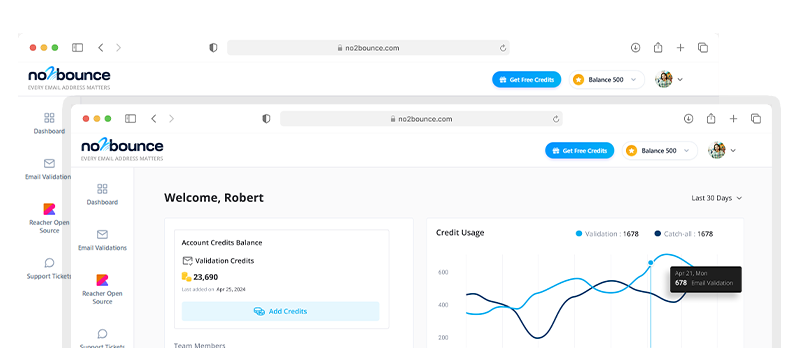
Run your list through an email validation tool first. Removing invalid and high-risk addresses before you test gives you a clean baseline, so any deliverability issues you find afterward are actually about your sending setup, not your list.
Step 3: Run a deliverability check
With your list cleaned and authentication confirmed, run an actual deliverability test. No2Bounce's email deliverability checker checks your SPF, DKIM, and DMARC records, blacklist status, and inbox placement in one place, so you can see exactly where you stand before you send to your full audience.
Step 4: Interpret the results and fix what's flagged
A deliverability check will usually flag one of a few things: missing or misconfigured authentication records, a domain or IP on a blacklist, or content that's tripping spam filters. Fix what's flagged before moving on. Don't send while known issues are still open.
Step 5: Re-test before you send to your full list
Once you've made changes, run the check again. Deliverability isn't a one-and-done test. Confirm your fixes actually worked before your campaign goes out to everyone.
Common deliverability killers
A few issues show up again and again in deliverability problems:
- Sending to invalid or unengaged addresses
- Missing or broken SPF/DKIM/DMARC records
- A bounce rate creeping above 2%
- Hitting spam traps from old, unvalidated list data
- Sudden jumps in sending volume without a warm-up period
- Low engagement dragging down sender reputation over time
Most of these trace back to the same root cause: sending to people or addresses that shouldn't be on your list in the first place.
How list validation ties into deliverability
Deliverability testing and list validation solve different parts of the same problem. A deliverability check tells you where an email lands right now. List validation prevents the underlying causes, invalid addresses, spam traps, high-risk catch-alls, from showing up in the first place.
Skipping validation and only testing deliverability means you're treating a symptom instead of the cause. The two work best together: validate your list regularly, then test deliverability before major sends.
FAQ
What is a good email deliverability rate?
Deliverability rates above 95% are generally considered good, though the number that matters most is how much of your delivered mail lands in the inbox specifically, not just how much avoids a hard bounce.
How often should I test email deliverability?
Test before any major campaign or newsletter send, and as a general habit, check every 30 to 90 days even between sends. If you've recently changed ESPs, domains, or sending volume, test again immediately.
Does deliverability testing replace email validation?
No. They're complementary. Validation reduces the risk of bounces, spam traps, and complaints before you send. Deliverability testing shows you where you currently stand with inbox providers. Skipping either one leaves a gap.
Make deliverability testing part of your routine
Testing before you send costs you a few minutes. Finding out after you've already damaged your sender reputation costs a lot more.
Start with your list. Validate your email list for free and get 100 free verification credits, then run a full deliverability check before your next campaign goes out.
Start cleaning your list instantly.
No credit card required.