1. What Counts as a Low Open Rate in 2026?
Across industries, the average email open rate sits around 42.35%. E-commerce brands tend to see lower, around 30%, because of higher send volumes and inbox fatigue from promotional content.
If you're consistently below 20%, something is actively working against you.
Since Apple's Mail Privacy Protection (MPP) pre-loads emails via proxy servers, some open rate figures are inflated by "ghost opens." The email was pre-fetched, not actually read. Gmail's stricter enforcement since November 2025 adds another layer of complexity. This makes real, genuine opens harder to count and list quality more important than ever.
2. Why Low Open Rates Compound Over Time
A low open rate today makes tomorrow's open rate worse. Here's why.
Inbox providers (Gmail, Outlook, Yahoo) use engagement signals to judge your sender reputation. When your emails go unopened, those providers start routing future sends lower in the inbox, or into spam. Your domain reputation erodes. And once that happens, it takes months of clean sending to recover.
Every bounce, every spam complaint, every ignored email is a data point working against you. The sooner you find the root cause, the less damage accumulates.
3. 10 Reasons Your Email Open Rate Is Low
1. Your List Contains Invalid or Catch-All Addresses
This is the most common cause and the most under-diagnosed.
When you send to invalid addresses, you get hard bounces. Hard bounces tell inbox providers your list is unclean. That damages your sender reputation, which pushes future emails away from the inbox.
The harder-to-spot problem: catch-all domains. A catch-all domain is configured to accept every incoming email at the server level, even to mailboxes that don't exist. Most verification tools mark these as "unknown" and move on. The email doesn't bounce. It just never reaches a real person.
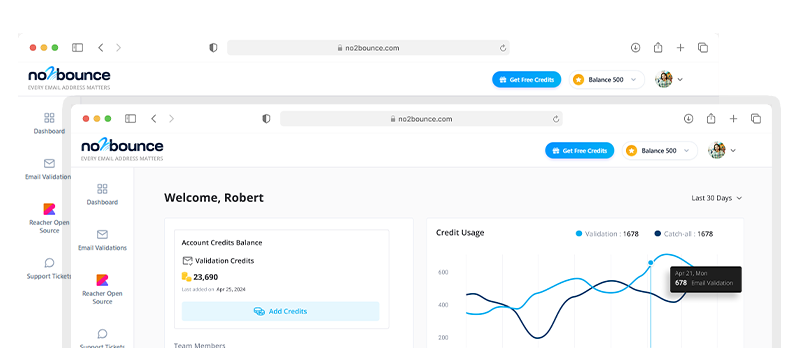
no2bounce verifies catch-all addresses using real SMTP probing, not just an MX record check. You get a clear deliverability signal, not a shrug. See how catch-all detection works.
Fix: Verify your list before every campaign. Remove or quarantine addresses flagged as risky, invalid, or undeliverable catch-alls.
2. SPF, DKIM, or DMARC Isn't Configured Correctly
Authentication records are how inbox providers confirm your emails are actually from you. Without SPF, DKIM, and DMARC correctly set up, Gmail and Outlook have no way to verify your identity and they'll treat your emails with suspicion.
In November 2025, Gmail moved from soft enforcement to active SMTP-level rejection for non-compliant bulk senders. That means emails that fail authentication don't land in spam. They don't arrive at all. Microsoft followed with similar enforcement in May 2025.
If you send more than 5,000 emails per day, correct authentication isn't optional.
Fix: Use Google Postmaster Tools to audit your domain's authentication status. Confirm SPF, DKIM, and DMARC records are published and aligned with your sending domain.
3. Your Subject Lines Aren't Earning the Open
47% of recipients decide to open an email based on the subject line alone. If yours sounds like it was written for a press release, it's getting skipped.
Subject lines that work are specific, human, and direct:
- "Your open rate dropped 18% last month. Here's why." (not "Q3 Email Performance Update")
- "The catch-all problem no one talks about" (not "Important Information About Your Email List")
- "Hey Sarah, quick question" (not "We'd Like to Connect With You")
Fix: Write two versions of every subject line and A/B test them. Short beats are clever. Specific beats generic. Every time.
4. You're Sending to People Who Stopped Engaging Months Ago
Sending to a subscriber who hasn't opened anything in six months isn't neutral. It actively hurts you.
Since September 2025, Gmail sorts the Promotions tab by engagement rather than recency. Senders with low engagement get pushed further down. Fewer eyes see the email. Fewer openings. Lower engagement. The cycle continues.
Fix: Segment your list by engagement. Run a re-engagement campaign for anyone inactive for 90+ days. If they don't respond, remove them. A smaller, engaged list outperforms a large, cold one every time.
5. You're Sending at the Wrong Time
A B2B email sent at 11pm on a Friday will be buried by Monday morning. It's not that your audience doesn't want to hear from you. It's that you arrived at the wrong moment.
For B2B senders, Tuesday to Thursday, 9 to 11am in the recipient's timezone, consistently outperforms other windows. B2C audiences often respond better to evenings and weekends. But your list may behave differently from averages.
Fix: Pull open-rate data from your last 10 to 15 campaigns and look for patterns. Use send-time optimisation if your platform supports it. Always send in the recipient's timezone.
6. Your Emails Are Going Straight to Spam
If open rates have dropped suddenly and across the board, spam placement is the most likely culprit.
Common triggers:
- Subject lines with words like "FREE", "Act Now", or "Guaranteed"
- Image-heavy emails with very little text
- Links pointing to low-reputation domains
- No one-click unsubscribe option
- Spam complaint rate above 0.3%
Gmail's November 2025 enforcement made this worse for senders who hadn't kept up with bulk sender guidelines.
Fix: Run your email through a spam checker before every send. Keep your complaint rate below 0.1% where possible. Make unsubscribing easy. It's better than a spam report.
7. You're Sending the Same Email to Everyone
Sending one message to your entire list (cold leads, active customers, lapsed users) produces average results at best. Relevance is what drives opens. When an email feels written for the person reading it, they open it.
Fix: Segment by funnel stage, behaviour, or purchase history. Even a basic split between leads and customers will improve relevance and open rates. You don't need a complex system to start.
8. Your "From" Name Isn't Recognisable
People open emails from senders they trust. If your From name is "noreply@yourdomain.com" or a generic company handle, you're asking recipients to take a chance on a stranger.
"noreply" signals to both spam filters and recipients that no conversation is expected, which reduces trust and open likelihood.
Fix: Send from a real name. "Alex from no2bounce" performs better than "no2bounce Support". Use a consistent name and From address across every campaign so subscribers learn to expect you.
9. Your Email Doesn't Render Properly on Mobile
More than 60% of emails are opened on mobile. An email that breaks on a phone screen gets closed in two seconds, and that low-dwell signal feeds back into your sender reputation.
Fix: Preview on mobile before every send. Use a single-column layout, 14px+ body font, and CTA buttons large enough to tap. Test across iOS and Android, not just desktop.
10. Your Bounce Rate Is Eroding Your Sender Score
Every hard bounce leaves a mark on your sender reputation. A bounce rate above 2% is a warning sign. Above 5%, you risk being blacklisted by major inbox providers.
Bounce rates grow when lists aren't verified, especially lists built through lead magnets, third-party data, or form submissions where typos and fake addresses are common.
Fix: Verify emails before they enter your CRM, not after they've already bounced. no2bounce's real-time API lets you validate at the point of capture, so your list is clean from day one. Explore the API.
4. How Email Verification Connects Directly to Open Rates
It's a simple chain:
Clean list > Fewer bounces > Better sender reputation > More inbox reach > Higher open rates
Verification isn't just a deliverability task. It's the foundation your open rates are built on. No matter how good your subject line is, it can't be opened if the email never arrives.
Here's what no2bounce checks on every address:
- Syntax: Is the format valid?
- Domain and MX records: Does the domain exist? Is it configured to receive mail?
- Mailbox existence: Is there a real, active inbox at this address?
- Catch-all detection: Does this domain accept all email at the server level, regardless of whether the mailbox exists?
- Spam trap identification: Is this address used to catch senders with poor list hygiene?
- Reputation score: What's the overall risk level of sending to this address?
- Catch-all domains accept every email at the server level, which means "valid" doesn't mean "deliverable." Most tools mark these as unknown. no2bounce probes them with real SMTP verification to give you an actual answer.
Learn more about how no2bounce verifies catch-all and risky emails: no2bounce Features.
5. Pre-Send Checklist
Run through this before your next campaign:
- List verified. Invalid, risky, and catch-all addresses removed.
- SPF, DKIM, and DMARC confirmed and aligned.
- Two subject line variants written and ready to A/B test.
- Inactive subscribers (90+ days) segmented out or in a re-engagement flow.
- Send time set for recipient's timezone, not yours.
- Email content checked for spam trigger words.
- One-click unsubscribe confirmed working.
- Mobile preview checked on both iOS and Android.
- Bounce rate reviewed. Above 2% means re-verify immediately.
- Spam complaint rate monitored via Google Postmaster Tools.
Start cleaning your list instantly.
No credit card required.