Free mass emailing sounds like an easy win — but in 2026, the wrong tool (or the wrong strategy) can quietly bury your campaigns in spam folders before a single subscriber reads them. Mailbox providers like Gmail and Outlook have significantly raised the bar for bulk senders, deploying machine-learning filters that analyse behavioural signals like open rates, reply patterns, and unsubscribe velocity — not just whether your SPF record is correctly configured.
The upshot? Technical compliance alone is no longer enough. Passing a checklist used to guarantee inbox placement. Today it's just the price of admission.
“The differentiator [in 2026] is how subscribers behave over time. Verified clicks, replies, and consistent engagement patterns are becoming the gold standard.”
— Des Brown, Deliverability Expert
Research from Email-check.app shows that bulk senders who overlook proper email validation and authentication face failure rates as high as 85%. A free bulk email marketing platform with weak infrastructure doesn’t just underperform —it actively accelerates the damage.
With that foundation in place, here’s how the top free tools stack up in 2026, which is explained in this blog.
Best Free Email Senders & eBlast Tools Compared
Evaluating the best free email sender options means weighing more than just send limits. Deliverability infrastructure, automation depth, list management, and branding trade-offs all factor in. The four platforms below each earn their place for a distinct reason.
1. Brevo - Best for large lists you email infrequently
Free tier: 300 emails/day | Unlimited contacts
Brevo’s standout advantage is its unlimited contact storage — genuinely rare among free-tier platforms. Organisations with large subscriber databases that send periodic announcements (rather than daily campaigns) benefit most from this structure. The platform includes built-in spam testing and real-time reporting, both of which support modern deliverability requirements.
The constraint: the 300-email daily cap is non-negotiable on the free plan. For high-frequency email blasting service use cases, that ceiling is a significant operational limit.
2. Sender - Best for high-volume daily sends
Free tier: 15,000 emails/month | Up to 2,500 subscribers
When raw volume is the priority, Sender.net offers one of the most generous free tiers available. At 15,000 monthly sends, it supports a consistent outreach cadence without forcing an early upgrade. The platform includes automation workflows, segmentation tools, and detailed analytics — features typically locked behind paid plans elsewhere.
The constraint: Sender branding appears on outgoing emails. Acceptable for early-stage businesses; less so for established brands.
3. MailerLite - Best for automation-driven newsletters
Free tier: 12,000 emails/month | Up to 1,000 subscribers
MailerLite consistently ranks among the top free eblast platforms for teams relying on logic-based automation, welcome sequences, behavioral triggers, and drip campaigns. Its drag-and-drop editor is straightforward, and its deliverability reputation is strong. For newsletter-focused senders, it strikes a productive balance between usability and functionality.
The constraint: The 1,000-subscriber cap makes it better suited for growth-stage lists than high-volume operations.
4. EmailOctopus - Best for no-frills high-volume sending
Free tier: 10,000 emails/month | Up to 2,500 subscribers
EmailOctopus is known for reliable delivery without complexity. Its simplicity is both its strength and its limitation; it serves well as a list-based email blasting service, but won’t support sophisticated automation or deep analytics at the free tier.
The constraint: Reporting and segmentation features are basic compared to competitors.
Choosing the right tool is only half the equation. How you deploy sends at scale, particularly with lists exceeding 1,000 contacts, determines whether your campaigns land in inboxes or disappear entirely.
How to Send Email Newsletters to a Large List for Free
Selecting the right mailing software free tier is table stakes. The best way to send an email blast without triggering spam filters depends on a disciplined deployment strategy, not just platform selection.
Step 1: Warm up your new account
New free accounts start with zero sender reputation. A sudden spike to 1,000 emails on day one is a red flag for mailbox providers. Begin by sending 50–100 emails on your first day and gradually increase volume over one to two weeks. This tool is designed to Gmail, Outlook, and others to recognise you’re a legitimate sender with engaged recipients, not a bulk spammer operating bulk mail tools indiscriminately.
Step 2: Segment your list to work within daily limits
Free-tier limits aren’t obstacles; they’re guardrails you can work with strategically. Brevo’s 300-email daily cap, for example, means reaching 1,000+ contacts requires dividing your list into targeted segments scheduled across multiple days.
A practical approach: group contacts by engagement level or industry vertical. This improves relevance (boosting open rates) while simultaneously protecting your sender score. Users who need to send email fast at scale — 10,000 emails for free, say — often rotate across multiple free tiers or use Gmail-based mailmerge tools, though this requires careful management.
Step 3: Batch sends to protect sender reputation
Batching— staggering delivery in scheduled groups rather than all at once — is one of the most under utilised tactics in free email blast campaigns. It reduces the risk of triggering volume-based spam filters and allows you to monitor bounce rates before the next batch goes out.
A consistent sending cadence built around smaller batches will outperform a single large blast every time, especially on a free plan.
Pro tip - List segmentation
Before any send, split your list by engagement recency. Contacts who haven’t opened in 90+ days should be placed in a separate re-engagement segment. Sending to your most active contacts first builds positive engagement signals opens, clicks, replies, that warm your domain before reaching colder portions of the list.
Why you must verify emails before any mass send
Even a perfectly batched email marketing strategy fails if the underlying list is compromised. List decay — the gradual degradation of a contact database as addresses become invalid, abandoned, or repurposed as spam traps — is the silent threat most marketers overlook until the damage is done.
According to ZeroBounce, a typical B2B outreach list decays by approximately 28% every year when left unverified. That means more than a quarter of your contacts could be working against you right now.
Spam traps are particularly dangerous on free or legacy lists. When a previously valid address becomes dormant, providers often convert it into a honeypot. Any sender hitting that address is flagged immediately, regardless of intent.
Before any bulk send, run through this pre-blast checklist:
1. Remove hard bounces from any previous sends immediately.
2. Verify addresses using a dedicated email validation tool such as no2bounce to catch syntax errors, role-based accounts, and known traps.
3. Segment by engagement —suppress contacts who haven’t opened in 90+ days.
A clean list isn’t just good hygiene — it’s the foundation that determines whether your campaigns convert or quietly vanish.
The technical setup: SPF, DKIM, and DMARC
Even the best free mailing software won’t salvage a campaign if your domain authentication is misconfigured. Gmail and Outlook now fully enforce strict authentication for all bulk senders. Here’s what each standard does in plain terms:
• SPF (Sender Policy Framework): A DNS record that tells receiving servers which IP addresses are authorised to send email on behalf of your domain.
• DKIM (Domain Keys Identified Mail): A cryptographic signature proving the email content hasn’t been tampered with in transit —think of it as a wax seal on your messages.
• DMARC (Domain-based Message Authentication): The policy layer tying SPF and DKIM together, instructing providers what to do with messages that fail — quarantine, reject, or monitor.
Check your current status for free at MXToolbox in under two minutes. A starting DMARC policy of p=none takes roughly five minutes to publish via your DNS provider and immediately satisfies bulk sender requirements.
Implementing all three has a measurable impact. In recent implementation testing, configuring SPF, DKIM, and DMARC produced a 40% reduction in bounce rate, and a 23% improvement in deliverability rates, followed by a rigorous email validation process.
In 2026, proper authentication isn’t optional. It’s the price of admission.
Verify First, Send with Confidence
Free email tools give you reach. Authentication gives you credibility. But neither delivers results if the list underneath them is quietly rotting.
AI email verification is already reshaping how mailbox providers evaluate bulk senders. Gmail and Outlook’s machine-learning filters don’t just check technical compliance anymore; they model behavioral patterns across millions of sends to identify low-quality senders before complaints ever roll in. That same AI-driven intelligence is now available on the sender side, too. Modern verification platforms use it to detect disposable inboxes, predict which addresses are likely to become spam traps, score contacts by re-engagement probability, and flag role-based accounts that inflate your list without adding real audience value, all before a single email leaves your domain.
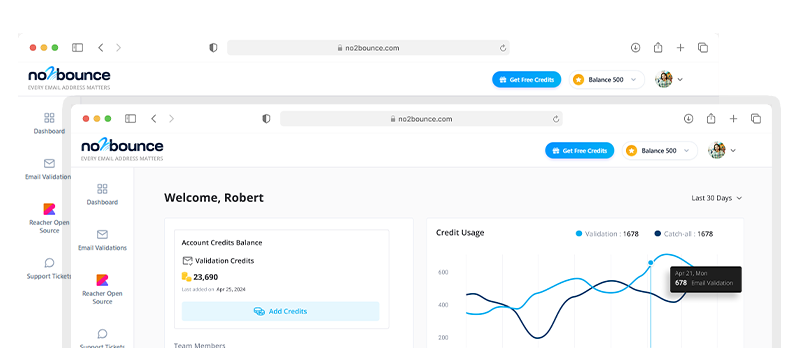
This is exactly where no2bounce earns its place in a serious sending workflow.No2Bounce’s AI-powered verification engine goes beyond syntax checks and MX record lookups. It validates deliverability at the SMTP level, cross-references addresses against known spam trap networks, and surfaces the high-risk contacts that free tools and manual processes routinely miss. The result is a leaner list, a stronger sender score, and campaigns that reach real people instead of bouncing into the void.
In a landscape where 28% of your list decays every year and a single spam trap hit can unravel months of domain reputation work, verification isn’t a nice-to-have step before sending; it’s the foundation every campaign should be built on. With no2bounce, that foundation takes minutes to put in place. The improvement in deliverability shows up immediately.
Start every campaign clean. Verify your list with no2bounce before your next send.
Key takeaways
• Match your tool to your volume: free tiers suit smaller lists, but deliverability depends on authentication, not just platform choice.
• List hygiene eliminates the invisible rot that silently destroys sender reputation.
• SPF, DKIM, and DMARC are essential; configure all three before your first send.
• Batch, segment, and warm up before scaling to 1,000+ recipients.
Start cleaning your list instantly.
No credit card required.